
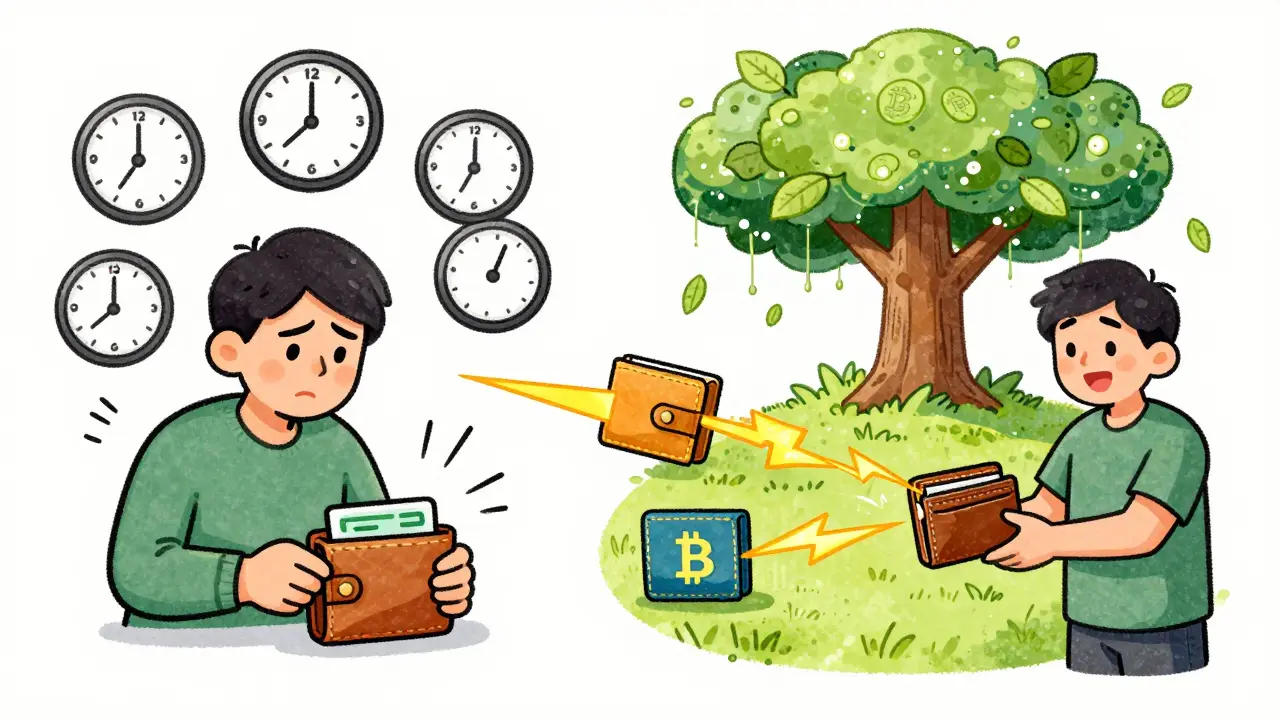
When you send Bitcoin or another cryptocurrency, it doesn’t jump straight into a block. It sits in a holding area called the mempool. Think of it like a line at the grocery store - everyone’s waiting to be checked out, but there’s only so much space, and the cashier can only process so many people at a time. If too many people show up at once, the line gets long, and you might have to wait hours - or pay extra to jump ahead.
What Exactly Is the Mempool?
The mempool (short for memory pool) is where unconfirmed transactions live before they’re added to a block. Every node on the Bitcoin network - that’s every computer running Bitcoin software - keeps its own copy of the mempool. There’s no single global mempool. Instead, each node has its own version, which means what you see on mempool.space might look slightly different from what another node sees. That’s normal. Transactions enter the mempool after being broadcast by your wallet or exchange. Before they’re accepted, nodes check them for validity: Is the signature correct? Did you spend money you actually own? Is the transaction format right? If it passes, it gets stored. If not, it gets thrown out. The Bitcoin Core software - the most widely used implementation - sets a default mempool size limit of 300 MB. That doesn’t mean 300 MB of raw transaction data. It includes all the extra data nodes need to manage those transactions: indexes, metadata, pointers. So the actual number of transactions you can fit is less than you’d think. At an average transaction size of 250 virtual bytes, a 300 MB mempool can hold roughly 1.2 million transactions. But in reality, congestion hits long before that.Why Does Mempool Congestion Happen?
Congestion occurs when more transactions are being sent than can fit in the blocks being mined. Bitcoin blocks are limited to 4 MB (or about 1-4 MB in practice due to SegWit). Each block takes about 10 minutes to mine. So every 10 minutes, only a few thousand transactions can be confirmed. When demand spikes - like during a major price surge, NFT drop, or large exchange withdrawals - thousands of transactions flood the network at once. The mempool fills up fast. When it hits capacity, nodes start kicking out the lowest-fee transactions to make room. This is called eviction. The result? Your transaction gets stuck, and you’re left wondering why it hasn’t gone through. As of 2025, mempool sizes regularly hit 50,000 to 80,000 transactions during normal activity. During peak times - like the 2021 bull run or major protocol upgrades - they’ve exceeded 300,000. At that level, confirmation times stretch to 12+ hours, and fees can jump from 10 satoshis per byte to over 200 satoshis per byte.How Fees Drive Priority
Miners don’t care about who sent what. They care about one thing: maximizing their reward. Each block has limited space. So they pick the transactions offering the highest fee per byte. This is called the fee rate, measured in satoshis per virtual byte (sat/vB). Here’s what that looks like in practice:- 1-5 sat/vB: Very slow. Might take 12-72 hours, if it confirms at all.
- 10-20 sat/vB: Normal speed. Usually confirms within 1-4 hours.
- 30-60 sat/vB: Fast. Confirms in under 30 minutes during moderate congestion.
- 80-200+ sat/vB: Priority. Confirms within 10 minutes even during peak congestion.

How to Check Mempool Congestion in Real Time
You don’t have to guess whether the network is busy. Tools like mempool.space and Blockchain.com’s mempool tracker show live data:- Mempool count: How many unconfirmed transactions are waiting.
- Fee histogram: Shows how many transactions are offering each fee rate.
- Confirmation estimates: Predicts how long your transaction will take at your chosen fee.
What Happens to Stuck Transactions?
If your transaction is stuck for more than 24 hours, it’s not lost. It’s still in the mempool - unless the node that holds it has evicted it. Most nodes keep transactions for up to 336 hours (14 days). After that, they drop it automatically. But you don’t have to wait. You have options:- Replace-by-Fee (RBF): If your original transaction was marked as RBF-enabled, you can send a new one with a higher fee to replace it. Your wallet must support this.
- Child-Pays-for-Parent (CPFP): If you control the receiving address, you can send a new transaction from that address with a high fee. Miners will see the whole chain (parent + child) and prioritize them together.
- Wait it out: Sometimes, congestion clears naturally. If you’re not in a rush, this is the cheapest option.
How Developers and Node Operators Handle It
If you run a Bitcoin node, you can tweak mempool settings in yourbitcoin.conf file:
maxmempool=500- Increases the mempool size from 300 MB to 500 MB. Uses more RAM but gives you better visibility during congestion.minrelaytxfee=0.000005- Lowers the minimum fee rate from 1 sat/vB to 0.5 sat/vB. Lets you see more low-fee transactions, but your node might get overwhelmed.
How Layer-2 Solutions Are Changing the Game
Mempool congestion isn’t a bug - it’s a feature. It ensures that only users willing to pay for priority get fast confirmations. But it’s also why layer-2 networks like the Lightning Network exploded in popularity. Lightning Network lets users open payment channels and transact off-chain. Fees are fractions of a cent, and confirmations are near-instant. During Bitcoin’s peak congestion in 2021, Lightning’s capacity grew by over 200%. By 2025, over 40% of Bitcoin’s value transfer volume happens off-chain, according to Arcane Research. Ethereum handles mempool congestion differently. Its EIP-1559 system burns a base fee and lets users add tips. This makes fee prediction more stable. But even Ethereum sees spikes during NFT minting events. Newer chains like Solana and Avalanche avoid large mempools by using different consensus models. They process transactions faster and don’t rely on fee-based prioritization the same way Bitcoin does.What to Do Next Time You Send a Transaction
Here’s a simple checklist to avoid mempool headaches:- Check mempool.space before sending. Is the count above 80,000? Then prepare to pay more.
- Use a SegWit or Taproot address. They’re smaller, so they cost less to send.
- Batch your transactions. Sending 5 payments in one transaction saves you 30-50% in fees.
- Enable RBF in your wallet if possible. It gives you an escape hatch if fees rise.
- Don’t panic. If your transaction is stuck, don’t resend it unless you’re using RBF or CPFP. Resending without these can create duplicates and confuse the network.
Will Mempool Congestion Ever Go Away?
No - and that’s okay. Mempool congestion is a sign the network is working as designed. It’s a decentralized market. The more people use Bitcoin, the more competition there is for block space. That drives innovation - faster wallets, better fee estimators, and adoption of layer-2 solutions. The goal isn’t to eliminate congestion. It’s to manage it wisely. As Taproot adoption grows, transaction sizes will shrink by 15-25%, easing pressure. Wallets will get smarter. Exchanges will batch more transactions. But for now, if you’re sending Bitcoin, you’re still competing in a real-time auction. Know the rules. Check the queue. Pay what you need to. And remember - your transaction isn’t lost. It’s just waiting its turn.What is a normal mempool size for Bitcoin?
A normal mempool size ranges between 40,000 and 80,000 unconfirmed transactions during regular activity. During low-traffic periods, it can drop below 20,000. When it exceeds 100,000, the network is considered congested, and confirmation times typically exceed 30 minutes.
Why do mempool sizes vary between different websites?
Each Bitcoin node maintains its own mempool with slightly different settings. Some nodes have higher memory limits or lower minimum fees, so they hold more transactions. Websites like mempool.space pull data from multiple nodes, but no two sources will show exactly the same number. This is normal and doesn’t indicate a problem.
Can I speed up a stuck transaction without paying more?
Only if your original transaction was marked as Replace-by-Fee (RBF) enabled. If it was, you can send a new transaction with a higher fee to replace it. If not, you can’t speed it up without paying more. Waiting or using Child-Pays-for-Parent (CPFP) are your only other options - and CPFP requires you to control the receiving address.
What fee rate should I use during high congestion?
During high congestion (mempool > 100,000 transactions), aim for 50-100 sat/vB for confirmation within 30 minutes. For urgent transfers, 100-200 sat/vB ensures confirmation within 10 minutes. Avoid paying less than 20 sat/vB during these times - your transaction may take over 12 hours or get dropped.
Does Ethereum have the same mempool problems as Bitcoin?
Ethereum has a mempool too, but it handles congestion differently. Since EIP-1559, Ethereum burns a base fee and adds a tip. This makes fees more predictable and reduces wild spikes. Still, during NFT mints or DeFi rushes, the mempool fills up and fees rise - just not as unpredictably as Bitcoin.
Is high mempool congestion bad for Bitcoin?
Not necessarily. It’s a sign of demand - which means people are using the network. The fee market ensures security: miners are incentivized to keep validating blocks because they earn more during congestion. It’s not a flaw - it’s a feature. The real issue is user experience. That’s why layer-2 solutions like Lightning Network are growing so fast.





Rishav Ranjan
December 23, 2025 AT 19:49Too many words. Just pay the fee.
Dusty Rogers
December 24, 2025 AT 20:53Been there. Sent a tx at 5 sat/vB during the last spike. Took 18 hours. Learned my lesson. Now I check mempool.space before every send.
Tyler Porter
December 25, 2025 AT 05:21Wait, so... if the mempool is full, your transaction just sits there? And you can't cancel it? And you have to pay more to make it go through? That sounds crazy.
Mmathapelo Ndlovu
December 26, 2025 AT 10:12This is why I use Lightning. 🌩️ No waiting, no stress. Bitcoin is like a highway, but Lightning is the express lane. And it's free! 🙌
Brian Martitsch
December 28, 2025 AT 02:49Anyone who doesn't understand fee markets shouldn't be touching Bitcoin. It's not a bank. It's a decentralized auction. Get with the program.
Melissa Black
December 29, 2025 AT 03:55The mempool is the market's nervous system. It's not congestion-it's price discovery in real time. The network isn't broken. The users are just still operating under fiat mental models. Bitcoin forces you to confront scarcity. That's the point.
Sybille Wernheim
December 29, 2025 AT 10:06Love this breakdown! So clear. I used to panic when my tx was stuck, now I just smile and wait. The blockchain doesn't rush. Neither should I. 😊
Rachel McDonald
December 31, 2025 AT 02:02Ugh I just lost $20 in fees last week because I didn't check. I'm so done with this. Why does Bitcoin even exist if it's this painful to use? 😭
Zavier McGuire
January 1, 2026 AT 18:24Layer 2 is the only way. Bitcoin should be a settlement layer not a payment processor. If you're using it for daily transactions you're doing it wrong
roxanne nott
January 1, 2026 AT 19:44lol 10 sat/vb? you're not even trying. even my toaster has better fee estimation
Cathy Bounchareune
January 1, 2026 AT 19:58Back home in Laos, we used to wait days for bank transfers. Now I can send crypto in minutes if I pay the right fee. It's not perfect-but it's better than what we had.
Janet Combs
January 2, 2026 AT 12:32wait so if i send a tx and it gets stuck... it just stays there forever? or does it dissapear? i think i lost a tx last month and im still not sure if it went through or not 😅
Sarah Glaser
January 4, 2026 AT 00:08The mempool is a beautiful manifestation of economic sovereignty. Each transaction is a vote. The fee is the ballot. Miners are the impartial tallying system. This is not a bug. This is governance.
Ellen Sales
January 4, 2026 AT 22:20so i paid 80 sat/vb and it still took 45 min? wow. guess i'm just bad at this crypto thing. 😒
Lloyd Yang
January 6, 2026 AT 03:33Let me tell you about the time I ran a full node on a Raspberry Pi with a 500MB mempool during the 2021 NFT frenzy. The RAM usage spiked so hard my router rebooted three times. I swear, the mempool isn't just a queue-it's a living, breathing beast. You can watch it breathe. When congestion hits, you can actually feel the network holding its breath. Then-boom-it coughs up a block and everyone exhales. It's poetry in code. And yes, I cried. Not because I lost money. Because I finally understood what decentralization really means.
Steve B
January 6, 2026 AT 14:28It is interesting to observe how Western-centric narratives dominate discourse on blockchain infrastructure. One must ask: Is the mempool congestion truly a problem, or merely a reflection of the capitalist imperative to optimize for speed over accessibility? In many regions, slow confirmation times are not a bug-they are a feature of resilience.
Jordan Renaud
January 8, 2026 AT 11:47It’s wild to think that the same mechanism that makes Bitcoin slow also makes it secure. The higher the fee, the more miners are incentivized to keep the chain running. It’s not broken-it’s balanced. And honestly? That’s kind of beautiful.
Radha Reddy
January 8, 2026 AT 15:11In India, many still rely on UPI for instant payments. But Bitcoin’s mempool reminds us that trustless systems have their own rhythm. Patience is not weakness. It is discipline.
Sheila Ayu
January 9, 2026 AT 00:44Wait, so you're telling me I can't just send Bitcoin like I send Venmo? And I have to PAY MORE to make it go faster? That's ridiculous. Why can't it just work like everything else? This is why people hate crypto.
Rachel McDonald
January 9, 2026 AT 13:23Ugh I just lost $20 in fees last week because I didn't check. I'm so done with this. Why does Bitcoin even exist if it's this painful to use? 😭