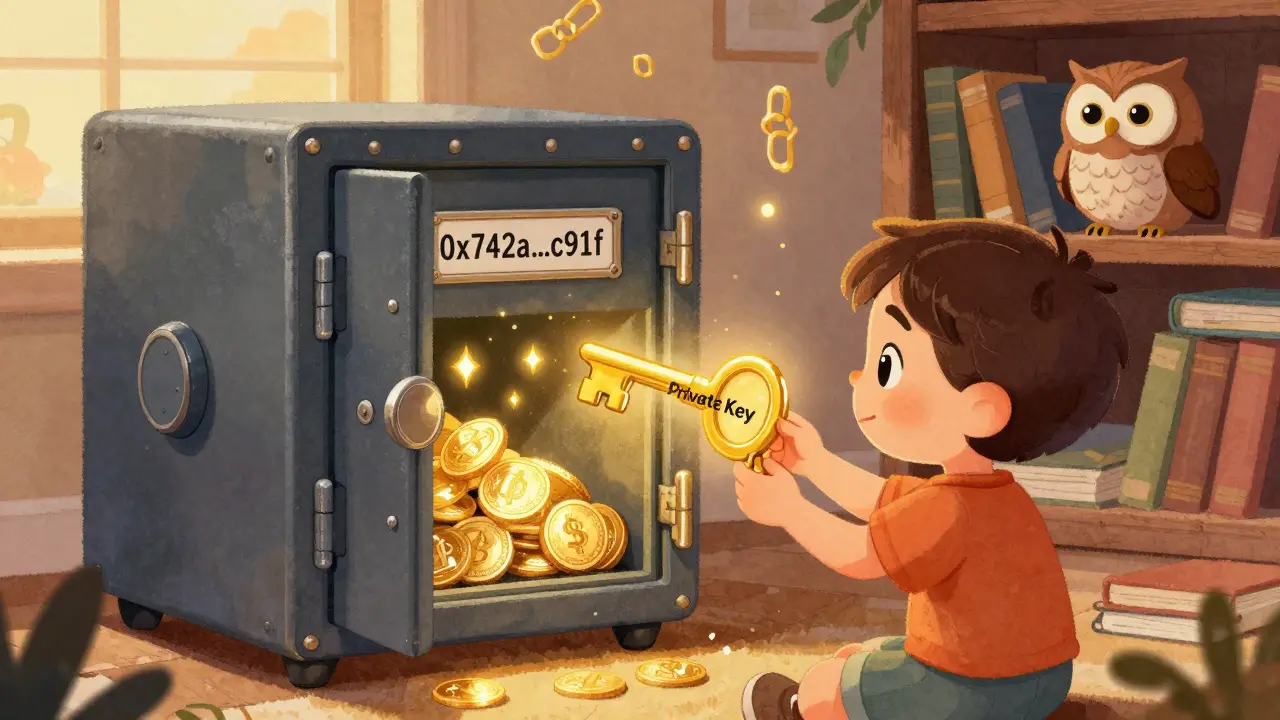
Imagine you own a safe deposit box at a bank. The bank gives you a key to open it. That’s your private key. The bank also gives you a box number - that’s your public key. Anyone can send stuff to your box using the number. But only you can open it with the key. If you lose the key, the bank can’t help you. If someone steals your key, they own everything inside. That’s exactly how cryptocurrency works - except there’s no bank.
What Is a Public Key?
Your public key is like your crypto bank account number. It’s a long string of letters and numbers - something like0x742a...c91f - that you can safely share with anyone. People use it to send you Bitcoin, Ethereum, or any other cryptocurrency. You don’t need to hide it. In fact, you should share it if you want to get paid.
Every public key is mathematically tied to a private key. But here’s the magic: you can’t figure out the private key just by looking at the public key. It’s like mixing paint - you can see the final color, but you can’t undo it to get back the original red and blue.
When someone sends you crypto, they’re not sending it to your wallet app. They’re sending it to your public key. That transaction gets recorded on the blockchain, and now your balance goes up. You can check your balance anytime - because the public key is visible to everyone on the network.
Most people don’t use the full public key to receive funds. Instead, they use a wallet address, which is a shorter, encoded version of the public key. For example, a Bitcoin address might look like 1A1zP1eP5QGefi2DMPTfTL5SLmv7DivfNa. But behind the scenes, that address is still tied to your public key. So whether you share the address or the public key, you’re giving people the same thing: a way to send you crypto.
What Is a Private Key?
Your private key is the only thing that lets you spend your crypto. It’s a 64-character string of random letters and numbers - something likee9873d79c6d87dc0fb6a5778633389f4453213303da61f20bd67fc233aa33262. It’s generated when you create a wallet. And it’s the only proof that you own the crypto tied to that public key.
Think of it like a password - but way more powerful. If you lose it, your crypto is gone forever. No customer service, no password reset, no bank to call. If someone else gets it, they can drain your wallet in seconds. There’s no undo button.
When you want to send crypto, your wallet uses your private key to create a digital signature. This signature says: “I, the owner of this private key, approve this transaction.” The network checks it using your public key - without ever needing to see the private key. It’s like signing a check. The bank doesn’t need to know your handwriting style to verify it - just that the signature matches the one on file.
That’s why private keys are the most important thing in crypto. They’re not just access codes. They’re ownership. If you hold the private key, you own the money. No one else can touch it - not even the company that made your wallet.
How Public and Private Keys Work Together
Here’s the step-by-step flow:- You create a wallet. Your software (like MetaMask or a hardware wallet) automatically generates a private key.
- From that private key, your wallet calculates the corresponding public key using a one-way math function called elliptic curve cryptography.
- Then it turns the public key into a wallet address - shorter and easier to use.
- Someone sends you 0.5 BTC to your wallet address. The transaction is recorded on the blockchain.
- You want to send 0.2 BTC to a friend. Your wallet uses your private key to sign the transaction.
- The network checks the signature using your public key. If it matches, the transaction is approved.
- Your balance drops. Their balance rises. Done.
No middleman. No approval. Just math. And it works the same for Bitcoin, Ethereum, Solana, or any other crypto.

What Happens If You Lose Your Private Key?
You lose your crypto. Permanently.There’s no recovery. No “forgot password?” link. No help desk. The blockchain doesn’t care who you are. It only cares if the signature matches the public key. If you don’t have the private key, you can’t make a valid signature. The coins are locked forever.
People lose thousands - sometimes millions - this way every year. A guy in the UK threw away a hard drive with 7,000 Bitcoin on it. Back then, it was worth $100,000. Today? Over $400 million. He’ll never get it back.
That’s why recovery phrases (also called seed phrases) exist. Most wallets generate a 12- or 24-word phrase when you set up your account. That phrase can regenerate all your private keys. So if your phone dies or your wallet app crashes, you can restore everything on a new device - as long as you have those words.
But here’s the catch: if someone steals your seed phrase, they own everything. Treat it like your house key - don’t take a photo of it. Don’t store it in the cloud. Don’t type it into a website. Write it on paper. Keep it in a safe. Or better yet, use a hardware wallet.
Public Key vs Private Key: Quick Comparison
| Feature | Public Key | Private Key |
|---|---|---|
| What it does | Receives crypto; verifies signatures | Sends crypto; signs transactions |
| Can it be shared? | Yes - safely | No - never |
| Can it be recovered if lost? | Yes - from the blockchain | No - funds are lost forever |
| Can it be guessed or hacked? | Not useful - it’s already public | Technically possible, but near-impossible with current tech |
| What happens if compromised? | Someone can send crypto to your address - but can’t take it | Someone can steal all your crypto |
Why This System Is Revolutionary
Before crypto, money was controlled by banks, governments, and payment processors. They could freeze accounts. Block transactions. Reverse payments. Charge fees. You needed permission to use your own money.Cryptocurrency flips that. With public and private keys, you don’t need permission. You don’t need a middleman. You are the bank. Your private key is your ID, your signature, your vault key - all in one.
This is why crypto is called “decentralized.” No single company owns the system. No one can shut it down. And as long as the math holds up - which it has for over 15 years - your ownership is absolute.
But that also means you’re 100% responsible. No one’s watching your back. If you mess up, there’s no safety net. That’s the trade-off.
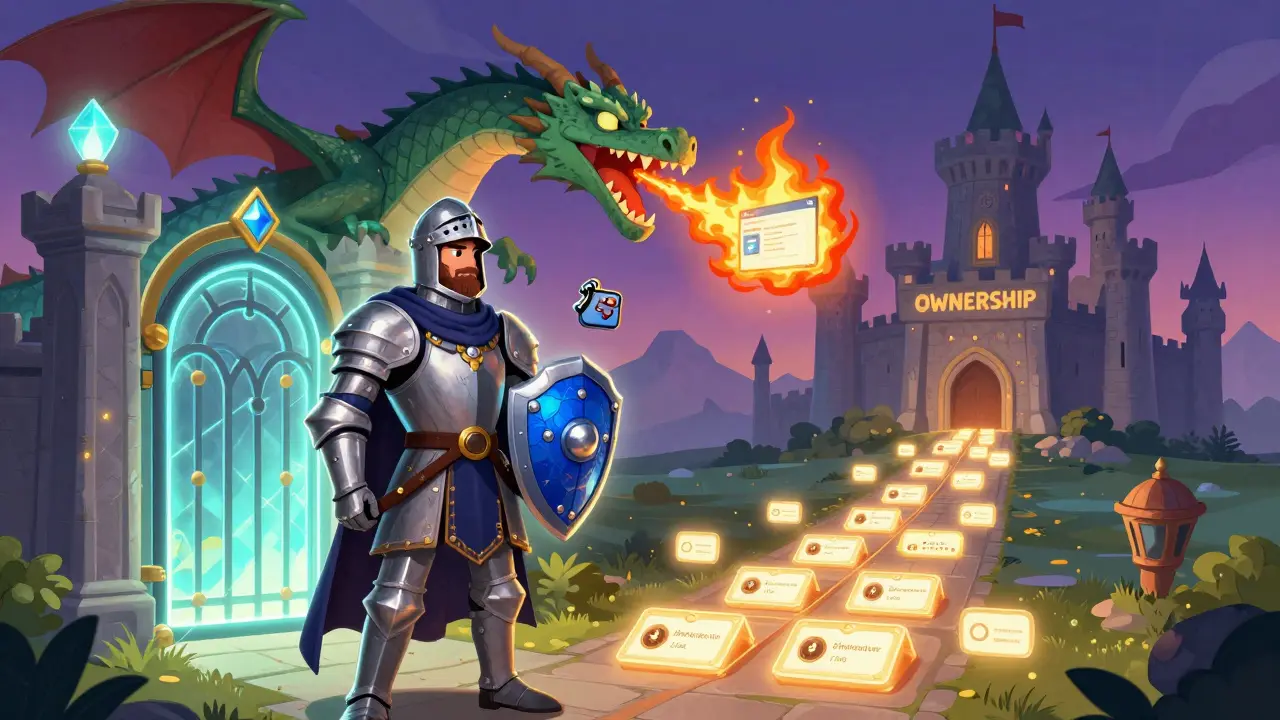
Real-World Risks and How to Avoid Them
Most crypto losses aren’t from hackers breaking into blockchains. They’re from users messing up their keys.- Phishing scams: Fake websites trick you into typing your private key or seed phrase. Always type wallet addresses manually.
- Cloud backups: Storing your seed phrase on Google Drive or iCloud is like leaving your house key under the mat.
- Malware: Some viruses watch your screen and steal what you type. Use hardware wallets for large amounts.
- Forgetting: People write down their seed phrase… then lose the paper. Or forget where they put it.
The best practice? Use a hardware wallet like Ledger or Trezor. They store your private key offline. You sign transactions on the device - never on your computer. Even if your laptop gets hacked, your crypto is safe.
And always test with small amounts first. Send 0.001 ETH to your new wallet. Make sure you can receive it. Then make sure you can send it back. Don’t wait until you’ve got $10,000 in there to find out you don’t know how to use it.
What’s Next? Multi-Signature and Quantum Threats
The basic public-private key system isn’t changing. But how we use it is.Multi-signature (multi-sig) wallets are becoming popular for businesses and serious holders. Instead of one private key, you need two or three to approve a transaction. So even if one key gets stolen, the attacker can’t move the funds.
There’s also talk about quantum computers breaking current cryptography someday. Right now, it’s not a real threat - quantum computers aren’t powerful enough. But experts are already working on quantum-resistant algorithms. For now, though, your keys are safe.
The bottom line? Public and private keys are the foundation of everything in crypto. They’re not optional. They’re not a feature. They’re the system.
If you want to own crypto - truly own it - you have to understand these keys. Not just how to copy them. But why they matter. And how to protect them like your life depends on it. Because in crypto, it does.
Can someone steal my crypto if they know my public key?
No. Knowing your public key only lets someone send crypto to your wallet. They can’t take anything out. Only your private key can authorize spending. So sharing your public key or wallet address is completely safe.
Is my wallet address the same as my public key?
Almost, but not exactly. Your wallet address is a shorter, encoded version of your public key. It’s designed to be easier to share and less error-prone. But every address links back to one public key, and every public key links back to one private key. So they’re part of the same chain.
Can I have multiple public keys for one wallet?
Yes. Most wallets generate a new public key (and address) for every transaction you receive. This improves privacy - it makes it harder for people to track all your payments. But they’re all controlled by the same private key or seed phrase. So you still only need one backup.
Why can’t I just copy my private key from my phone wallet?
You can - if your wallet lets you. But most apps hide it for security. The idea is that if you don’t see it, you’re less likely to accidentally share it. If you need your private key (for example, to move to a hardware wallet), most wallets have a setting to export it - usually through the seed phrase. Never trust a third-party tool that asks for your private key.
What’s the difference between a seed phrase and a private key?
A private key is a single string that controls one wallet address. A seed phrase (or recovery phrase) is a list of 12-24 words that can generate many private keys. Think of the seed phrase as the master key to your entire crypto collection. If you lose it, you lose everything. If you lose one private key, you lose just that one address.
Final Takeaway
Public and private keys aren’t complicated. They’re just math. But they’re the most important math in crypto. Your public key lets you receive money. Your private key lets you spend it. One is shared. The other is sacred.If you get this right, you own your money. If you get it wrong - you lose it. Forever.
Don’t trust apps to keep your keys safe. Don’t rely on “remember me” features. Don’t screenshot your seed phrase. Write it down. Store it offline. Test it. Then double-check.
Crypto gives you freedom. But freedom comes with responsibility. And that starts with understanding your keys.





Jeremy Dayde
January 31, 2026 AT 16:48Man I remember when I first got into crypto and thought my wallet address was like a password you could change if you forgot it lol
Turns out nope you just lose everything
I sent 0.1 BTC to the wrong address once and just sat there staring at my screen for an hour like a dumbass
Now I double check every single character before hitting send
And I write my seed phrase on paper and hide it in a fireproof box like my life depends on it
Because it does
There’s no customer service in crypto just you and some math that doesn’t care if you’re having a bad day
Kevin Thomas
January 31, 2026 AT 23:56Let me break this down real simple for the newbies
Public key = your email address
Private key = your email password
Would you email your password to a stranger? No
Then why the hell are you screenshotting your seed phrase and saving it in Google Drive
Stop being lazy
Buy a hardware wallet
It’s $50 and it’ll save you from becoming a crypto cautionary tale
And stop trusting apps that say ‘we’ll keep your keys safe’
They don’t
They can’t
Only you can
Jerry Ogah
February 2, 2026 AT 19:02THIS IS WHY CRYPTO IS A SCAM
YOU HAVE TO BE A TECHNICAL GENIUS JUST TO OWN MONEY
Who the hell remembers a 24-word phrase
What if you get Alzheimer’s
What if your kid throws away your paper
What if your cat pees on it
IT’S NOT OWNERSHIP IT’S A TRAP
THEY WANT YOU TO BE AFRAID
SO YOU’LL PAY THEM TO HOLD YOUR COINS
AND THEN THEY’LL STEAL THEM ANYWAY
THEY’RE JUST BANKS WITH BETTER MARKETING
Andrea Demontis
February 3, 2026 AT 13:43It’s fascinating how this system mirrors existential philosophy
True ownership requires absolute responsibility
There’s no external authority to blame, no institution to appeal to
Freedom here isn’t just political-it’s ontological
You are the sole guarantor of your existence in this digital economy
And yet we outsource our agency to wallets and apps, hoping someone else will remember for us
We crave autonomy but fear the weight of it
So we create backups of our backups, only to store them in the cloud
It’s a paradox
We build systems that grant us ultimate control, then panic at the thought of wielding it
Maybe the real vulnerability isn’t the private key
But our unwillingness to accept the burden of being truly free
Edward Drawde
February 4, 2026 AT 13:00lol u guys act like ur gonna lose ur money but u dont even know what a public key is
Richard Kemp
February 5, 2026 AT 22:56Been holding since 2017
Never had a problem
Wrote my phrase on paper
Put it in an envelope
Stuck it in my desk drawer
Didn’t even think about it until last year
Turns out I still remembered the first word
Found it, restored everything
Just keep it simple
Don’t overthink it
And don’t share it with your cousin who ‘knows tech’
Jack Petty
February 6, 2026 AT 09:42They’re not trying to make you rich
They’re trying to make you paranoid
Then they sell you ‘security solutions’
Hardware wallets? More like glorified USB sticks that cost $100
Seed phrases? A single point of failure that even your grandma can lose
And don’t get me started on ‘multi-sig’
That’s just a fancy way of saying ‘I don’t trust myself so I’ll make 3 people hold my keys’
Meanwhile the real hackers don’t care about your keys
They just drain your exchange account while you’re busy memorizing 24 words
Real security? Don’t hold crypto at all
It’s all just digital smoke and mirrors
Freddy Wiryadi
February 7, 2026 AT 17:01Big respect to the OP for explaining this so clearly 🙌
Just got my first hardware wallet last week
Took me 3 tries to get the seed phrase written right
Had to redo it 3 times because I misspelled ‘crimson’ as ‘crimsom’ 😅
But now I feel like a real crypto OG
Wrote it on cardstock, sealed it in a plastic sleeve, put it in a metal box with my birth certificate
And yes I still check on it every Sunday like it’s my pet
Don’t be like me-start early and don’t wait until you’ve got 50k in there
Peace out 🤙
Tressie Trezza
February 8, 2026 AT 09:45It’s weird how we treat crypto keys like they’re magic
But they’re just math
And math doesn’t care if you’re sad or tired or drunk
It just does what it’s programmed to do
So why do we act like we deserve a second chance?
Because we grew up in systems that forgive us
Schools let us retake tests
Banks let us reset passwords
But crypto? No mercy
It’s brutal
And maybe that’s the point
Maybe the system is designed to teach us that some things aren’t meant to be undone
And maybe that’s the lesson we never learned until now
Mark Ganim
February 9, 2026 AT 08:17Let me be very clear-there is NO EXCUSE for losing your private key.
Not your phone died.
Not you forgot.
Not your kid spilled juice on the paper.
There is NO EXCUSE.
It’s not hard.
Write it down.
Put it in a safe.
Memorize the first and last word.
And if you’re too lazy to do that?
Then you don’t deserve to own crypto.
And if you think I’m being harsh?
Go look up how many people lost millions because they thought ‘I’ll remember it later.’
They didn’t.
And now they’re crying on Reddit.
Don’t be them.
mary irons
February 10, 2026 AT 15:08Of course the system is designed to fail you
It’s not about ownership
It’s about control
They give you keys so you think you’re free
But you’re just the last link in a chain they designed to be broken
Hardware wallets? Made by corporations who profit from your fear
Seed phrases? A psychological trap to make you feel responsible
While they quietly backdoor the exchanges
And when you lose your keys?
They laugh
Because they never had to hold anything
They just moved the money before you even realized it was gone
Wayne mutunga
February 11, 2026 AT 23:11Thanks for the post
It’s nice to see someone explain this without hype
I’ve been holding for a while but never fully understood the difference between address and public key
Now I get it
Still nervous about writing down the phrase
But I guess that’s the price of freedom
Just wish there was a way to make it less scary
Gavin Francis
February 13, 2026 AT 02:09Boom! This is why crypto is the future 🚀
Take control. No middlemen. No fees.
Write your phrase. Keep it safe.
Simple as that.
Stop overcomplicating it.
You got this 💪
And if you’re scared?
Start small.
Send 0.001 ETH.
Get comfortable.
Then go big.
Peace out and HODL!
Devyn Ranere-Carleton
February 13, 2026 AT 03:10wait so if i lose my phone i lose all my crypto? but what if i have the seed phrase on my laptop? is that safe? i mean its encrypted right? or is that still dumb
Gustavo Gonzalez
February 14, 2026 AT 20:19Wow you actually think this is secure?
Let me guess-you also believe in the tooth fairy and that your wallet app won’t sell your data
Here’s the truth: every hardware wallet has a backdoor
Every seed phrase can be cracked by a state actor
And every ‘decentralized’ system is just a front for the same old power structure
You’re not owning crypto
You’re just renting it from a corporation that sells you the illusion of control
And when the collapse comes?
You’ll be the one holding the paper with your 24 words
While the real players already moved their funds to offshore trusts
Wake up.
William Hanson
February 16, 2026 AT 10:41Typical crypto newbie.
You think you’re smart because you read a blog post.
But you still don’t get it.
Private keys aren’t for ‘ownership’.
They’re for control.
And control means you have to be perfect.
One typo.
One backup in the cloud.
One moment of weakness.
And you’re done.
So why do you think you’re special?
Why do you think you’re not going to be the next guy who lost $400M?
Because you’re not.
You’re just another statistic waiting to happen.
Lori Quarles
February 17, 2026 AT 18:18THIS IS WHY AMERICA NEEDS TO LEAD IN CRYPTO
WE DON’T WAIT FOR PERMISSION
WE TAKE OWNERSHIP
NO BANKS. NO GOVERNMENT. NO EXCUSES.
IF YOU CAN’T HANDLE YOUR OWN KEYS?
STAY OUT.
BUT IF YOU’RE READY TO BE FREE?
THEN GET YOUR PHRASE.
WRITE IT DOWN.
AND NEVER LOOK BACK.
AMERICA BUILDS THE FUTURE.
NOT THE COWARDS WHO STORE IT ON DROPBOX.
Tom Sheppard
February 18, 2026 AT 17:13Hey newbies-just got my Ledger last week
Took me 4 tries to write my 12 words right
Misspelled ‘village’ as ‘villige’ 😅
But I laughed and tried again
Now I’ve got it on paper, in a safe, and one copy in my buddy’s safe
He’s my backup
And we both have a joke: if one of us dies, the other gets the crypto
But seriously-don’t be scared
It’s just math
And math doesn’t lie
Just don’t lie to yourself
Write it down
And keep it safe
Peace ✌️
Ramona Langthaler
February 19, 2026 AT 12:34Why do you think they make it so hard?
Because they don’t want you to have it
They want you to use Coinbase
They want you to trust them
They want your money
And they want you to think you’re safe
But you’re not
Because they control the gate
And the gate is always locked
Unless you pay them
And then they take 3%
And then they say ‘it’s decentralized’
LOL
Christopher Michael
February 20, 2026 AT 14:53One of the clearest explanations I’ve ever read. Seriously, this should be required reading for anyone even thinking about crypto.
Public key = your mailbox
Private key = your mailbox key
Would you leave your mailbox key under the doormat?
Then why would you store your seed phrase in Notes or Google Drive?
It’s not just bad practice-it’s negligence.
And if you’re using a phone wallet for more than $500?
You’re already playing Russian roulette.
Hardware wallet. Now.
And yes, it’s worth every penny.
Parth Makwana
February 21, 2026 AT 19:48Excellent exposition of cryptographic ownership paradigm!
Elliptic curve cryptography ensures computational irreversibility, thereby establishing non-repudiable provenance of digital assets.
One must appreciate the elegance of asymmetric key derivation wherein the public key is derived deterministically from the private key via secp256k1 curve mathematics.
However, the human factor remains the Achilles’ heel-cognitive bias, poor operational security, and social engineering exploit the weakest link: the user.
Recommendation: adopt multi-sig with threshold schemes and offline air-gapped key generation.
For institutional holders, consider Shamir’s Secret Sharing for redundancy.
Do not underestimate the entropy of human error.
Elle M
February 23, 2026 AT 00:07Wow. So you’re telling me I have to do work to own money?
What is this, 2008?
Back in my day, banks handled everything.
Now I have to write down 24 words like I’m in a cult?
And if I forget one?
Too bad.
So what’s the point?
Why not just use PayPal?
At least they’ll help me if I mess up.
Maybe I’ll just keep my money where it’s safe.
Like in a bank.
Where people care.
Rico Romano
February 23, 2026 AT 12:52How quaint.
You think this is revolutionary?
It’s just a rebranding of gold ownership with more steps.
And you’re proud of storing your keys on paper?
That’s so 2012.
Real wealth doesn’t need ‘seed phrases’.
It needs offshore trusts, bearer bonds, and discretion.
Meanwhile, you’re over here posting about your Ledger like it’s a status symbol.
Pathetic.
At least gold doesn’t require you to be a tech nerd to own it.
Jeremy Dayde
February 25, 2026 AT 06:32Just saw someone reply saying ‘I wrote mine on my laptop’
Bro… your laptop connects to the internet
It’s not safe
Even if it’s encrypted
Malware can grab it
Keyloggers can steal it
And you won’t even know until it’s gone
If you’ve got more than $100 in crypto
Stop using software wallets
Get a hardware one
And write the phrase on paper
And put it somewhere no one will ever find it
Unless you want them to